FTP
Pentesting on FTP
File Transfer Protocol
FTP - 21
- FTP protocol is used to transfer files from servers to clients on a computer network. It is a clear text protocol.
- The default port number is 21.
1. Anonymous access to the ftp-server is enabled
Case 1: Step 1: Open the command prompt and run the following command.
1
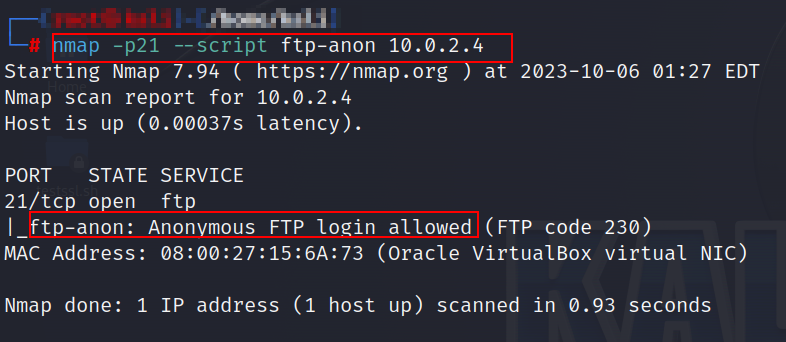
nmap -p21 –script=ftp-anon <target IP>
Step 2: The following screenshot shows that host is vulnerable to the anonymous login.
 Case 2:
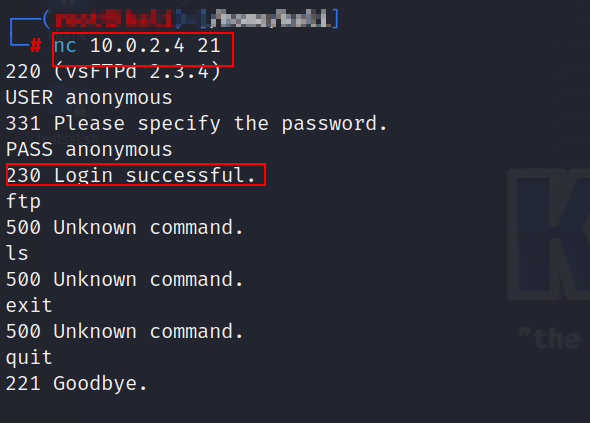
Using nc(Netcat) we can check whether anonymous login is allowed or not as shown in the following screenshot.
Case 2:
Using nc(Netcat) we can check whether anonymous login is allowed or not as shown in the following screenshot.
 Case 3:
Step 1: Open the “FTP” tool and enter the following command in the Linux terminal:
Case 3:
Step 1: Open the “FTP” tool and enter the following command in the Linux terminal:
1
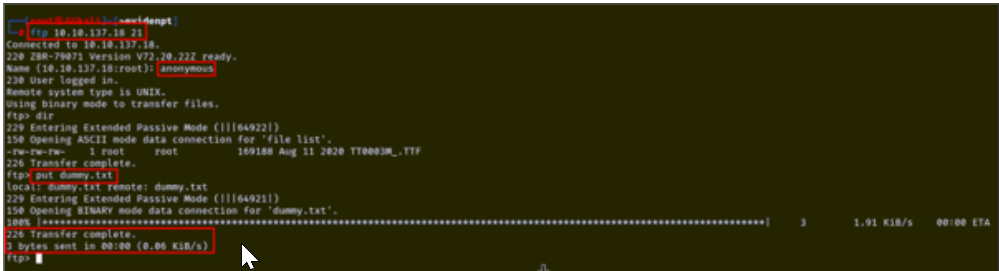
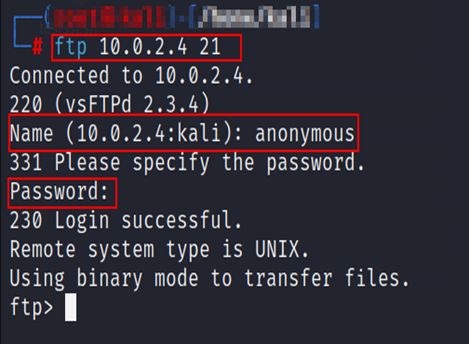
ftp <target IP> <port>
Step 2: Enter “anonymous” as username and password. Step 3: The following screenshot shows that anonymous login and the PUT method are enabled on the server.
 2. FTP Supports Cleartext Authentication
Step 1: Open Command Prompt and enter the following command to connect to the IP address.
1
ftp <target IP>
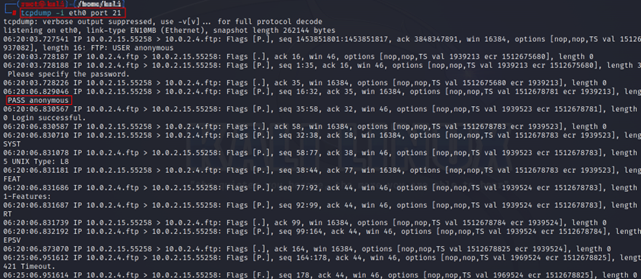
Step 2: Create a separate Prompt and execute the following command for sniffing traffic as shown below:
1
tcpdump -i eth0 port 21
Step 3: Enter the parameters below in the FTP command prompt, as shown in the following screenshot.
USER: anonymous PASSWORD: anonymous
 Step 4: The tcpdump command prompt displays the sequence of keywords entered in the FTP server in plain text format, as shown in the following screenshot.
 Note: Using tshark and Wireshark also we can capture the traffic.
3. Vsftpd 2.3.4 backdoor vulnerability
Step 1: Open the command prompt and run the following command.
1
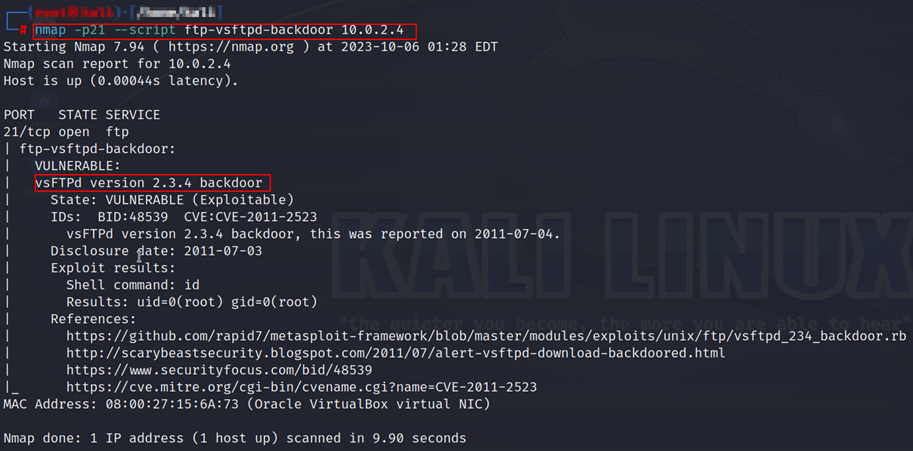
nmap -p21 –script ftp-vsftpd-backdoor <target IP>
Step 2: The following screenshot shows that host is vulnerable to VSFTPD 2.3.4 backdoor vlnerability.
 MG
MG
4. FTP server is vulnerable to FTP bounce attack
POC 1 Step 1: Open the “Nmap” tool and enter the following command in the Linux terminal:
1
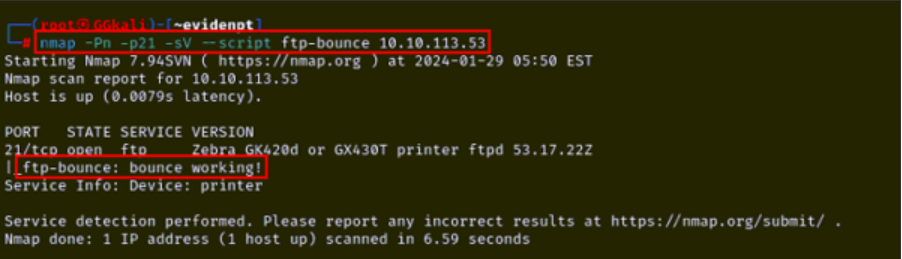
nmap -Pn -p21 -sV --script ftp-bounce <target IP>
Step 2: The following screenshot shows that the remote server is vulnerable to FTP bounce attacks.
 POC 2
Step 1: Open the “Nmap” tool and enter the following command in the Linux terminal:
POC 2
Step 1: Open the “Nmap” tool and enter the following command in the Linux terminal:
1
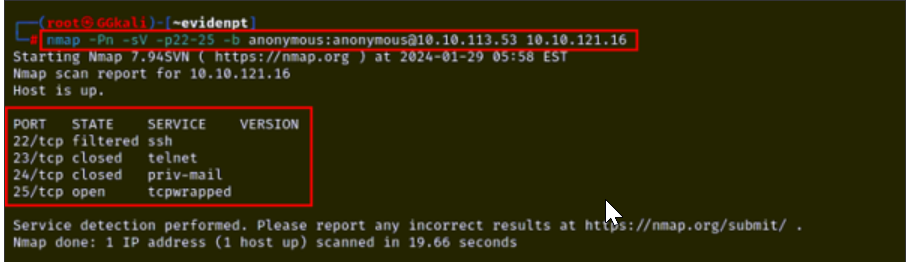
nmap -Pn -sV -p22-25 -b anonymous:anonymous@<target IP>
Step 2: The following screenshot shows that the remote server is vulnerable to FTP bounce attacks.